Pennifly for Safari
4 stepsTurn on Pennifly in Safari
Once it's on, she appears in your cart and at checkout — and shows you the same thing used or cheaper.
What Pennifly reads: product name, price and store in your cart. Never passwords, cards or other websites. Privacy
- 1Open Safari on your phone
- 2Tap the icon on the left of the address bar
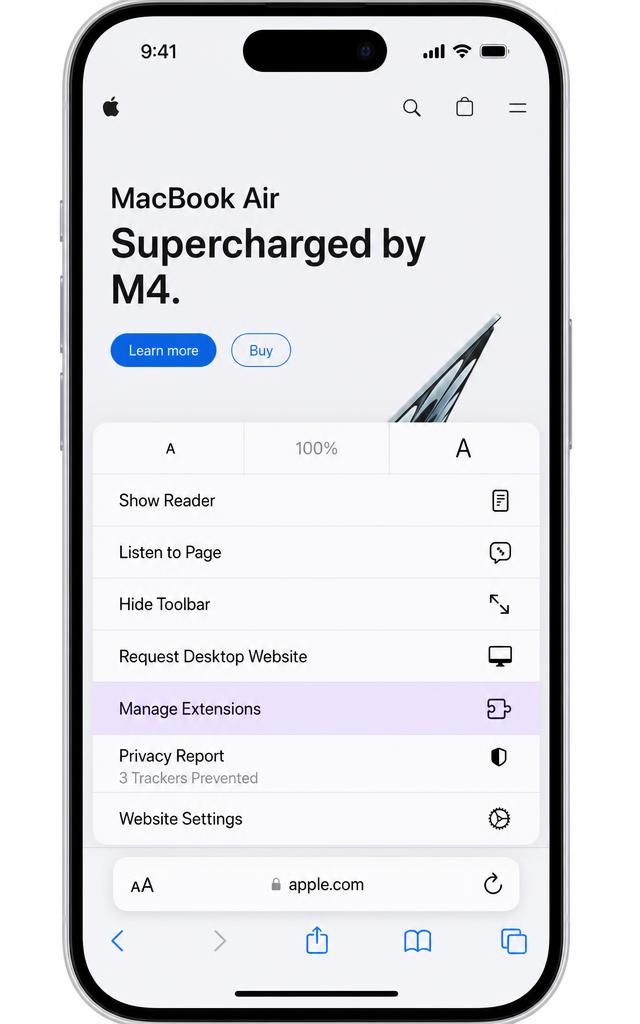
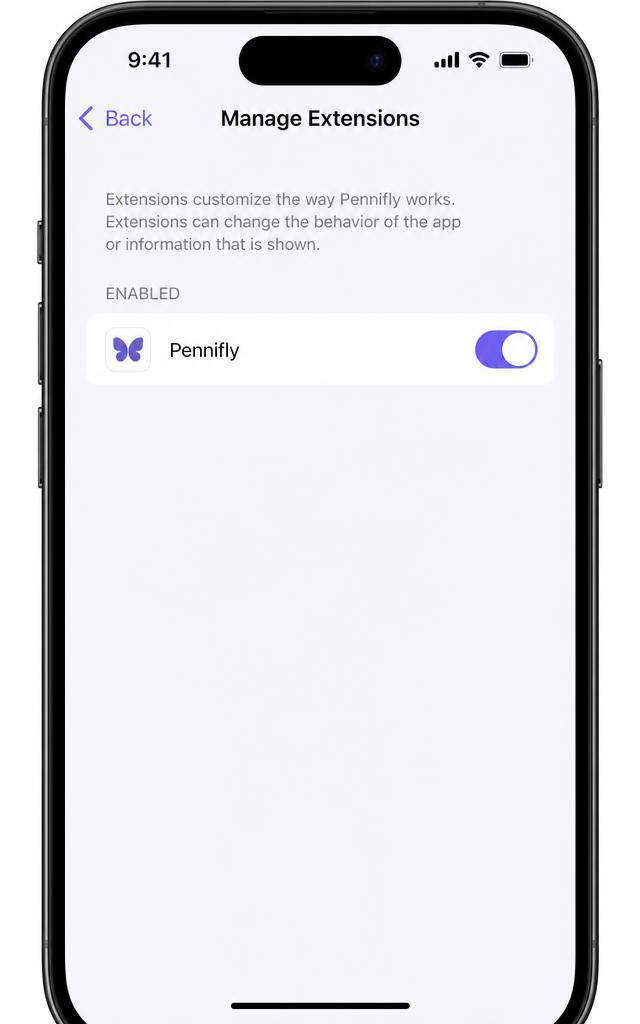
- 3Choose "Manage Extensions" and switch Pennifly on
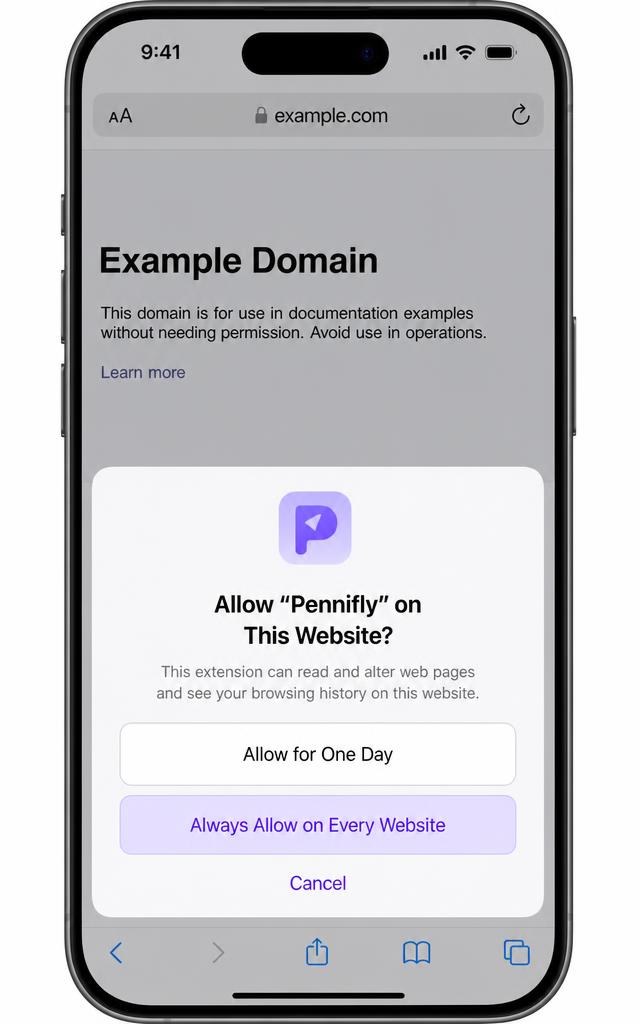
- 4Tap Pennifly and choose "Always Allow"
Checking connection